Ingestion
Helping content partners perform a hassle free ingestion of assets into Amagi's Saas platform and reduce the no.of support tickets being raised by current users.
Role
Product research,
User journey mapping,
Brainstorming,
Lofi-to-Visual design with design system
Prototyping
Team
Product Managers - Karthikey
Design lead - Anshu George
Design manager - Naveen Kumar
Program manager(2) - Shree Harsha.
Employer
Amagi Media Labs
Duration
6 Weeks
Overview
Story behind
I am currently working at Fibonalabs (Design consultancy) as a UX designer, but consulting for Amagi media labs as a Product Exp designer. I have been part of Amagi's core product - Amagi NOW, which deals with cloud infrastructure for content delivery which is helping multiple content partners all around the world to reach their content to OTT platforms and TVs. I was given the opportunity of handling 'Ingestion of assets' into Amagi cloud with
Background
Amagi is modular SaaS Platform for managing and delivering media content to multiple linear and VOD platforms.
Example: Imagine you are have a movie that you want to telecast on TV or OTT, but how would you do it? So, Amagi helps as a cloud infrastructure to store, manage and deliver your content to respective spaces.
Results
Quick peek and comprehensive overview of ingestion. Refined UI to represent various ingestion methods and tabular approach with hierarchy of information. And fully designed coding ready Saas application
Impact
Hassle free upload of assets and pipeline approach for users to only spend time for initial setup. Reduced complexity of data on the ingestion home page to have refined view to track values at source and destination. Finally reduced user tickets for problems in ingestion experience.
Problem & Challenge
Visual feedback of progress while ingestion
Pairing content with appropriate channels/ platforms
Current product supports only two methods (mRSS/ csv) of ingestion
No continuous data ingestion setup always need to upload multiple times
How might we improve the overall Ingestion experience for the content partners?
Feedback-driven | Quick setup | Support for multiple methods
Solution
Design timeline

My Role
Facilitated research and collaboration with internal and external stakeholders. Provided the designs from scratch to visual design along with prototyping. Leaded the discussions with product and development teams with multiple UX flow-walkthrouhgs. Regularly ensuring that product manager was in loop with what design was up to.
Research
Approach
As a junior designer with help of my design lead, manager and a senior designer, I conducted a research on current Ingestion feature of 'Amagi 2.0 release'. Next with help of product manager we had to perform a competitor analysis, then complied the information from primary and secondary sources to perform the UX audit that provided valuable insights to improve the current UX and visual design.
Usability & heuristic evaluation
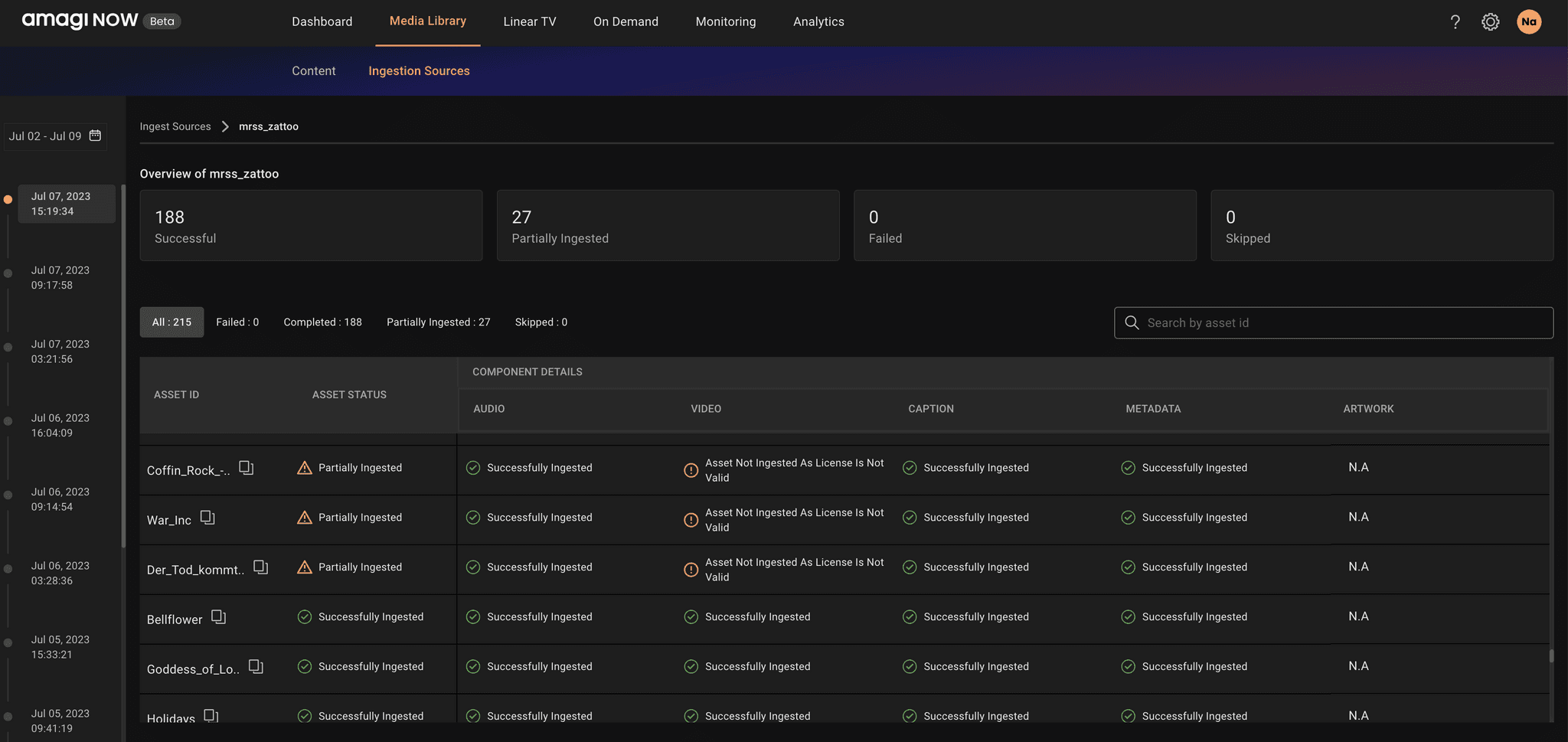
Lack of awareness
User is unaware of assets that have failed to be ingested, until they are able to figure out the numbers on the dashboard table.
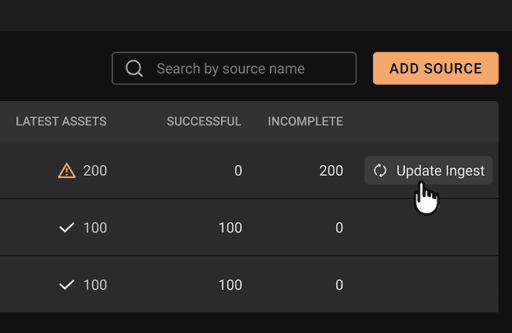
No provision for channel link
Assets need to be linked to channels before usage.
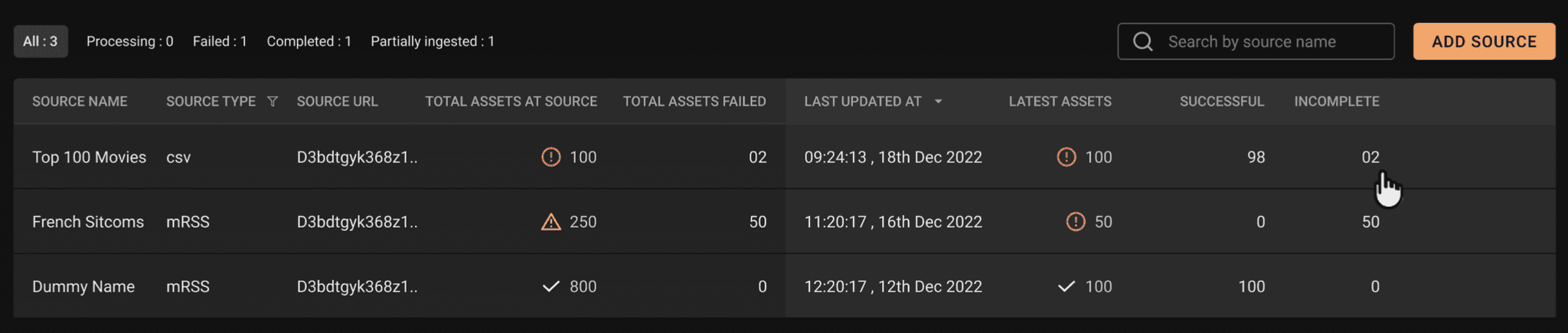
Excess data on dashboard
Many details presented to user, increasing cognizance.
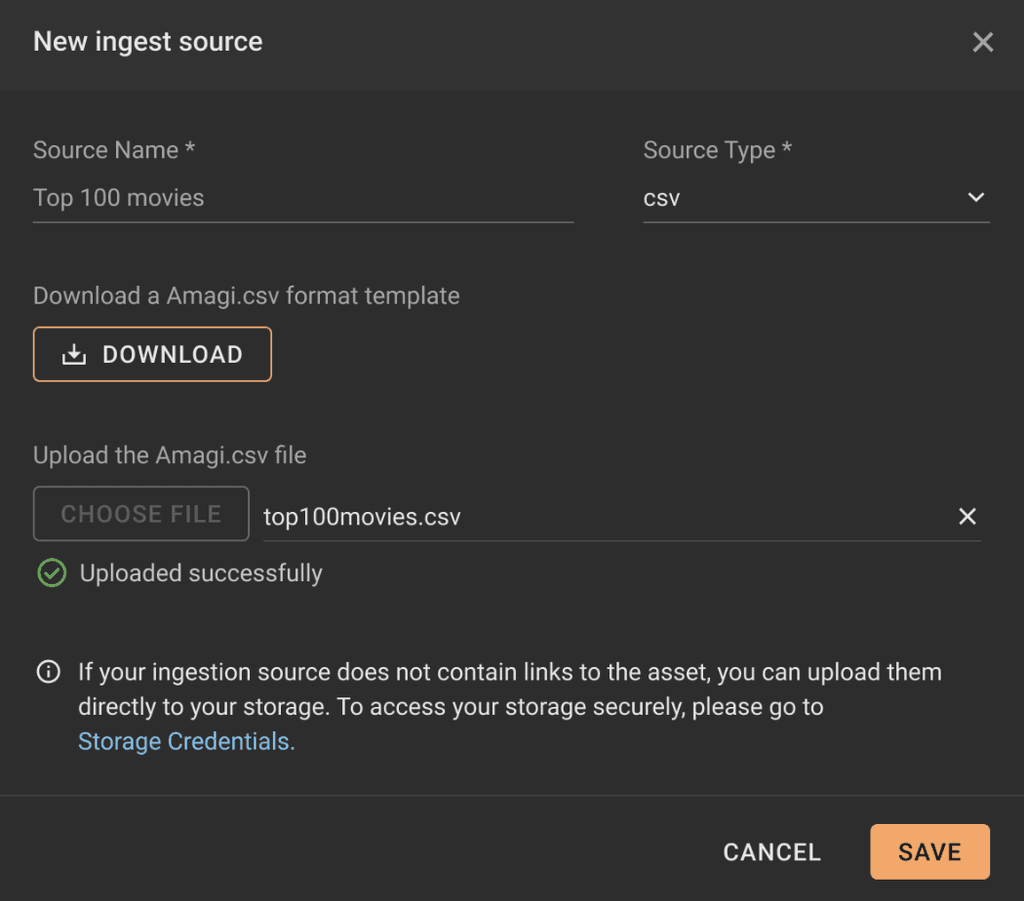
Limited ingestion methods
Only CSV and mRSS supported
Product scope & Customer usage
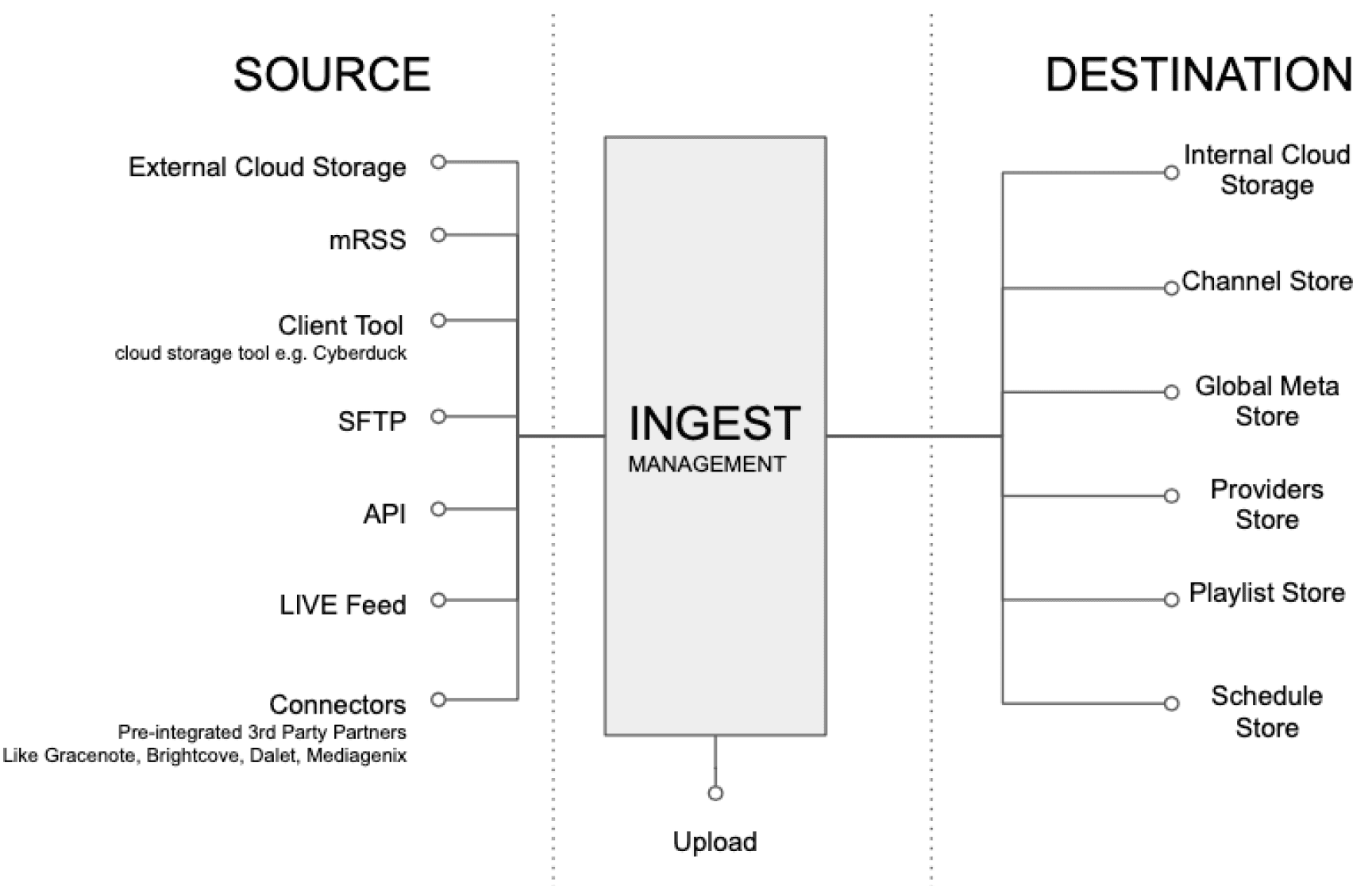
With the aid of our product and client support teams, we've compiled a list of means by which numerous users upload files to Amagi's cloud. Additionally, we've sorted our internal storage in line with every point product from Amagi.
231
total customers using Amagi product for ingestion

S3 - Ingest
145
mRSS - Ingest
82
API - Ingest
2
SFTP - Ingest
2
Competitor Analysis

Key takeaways
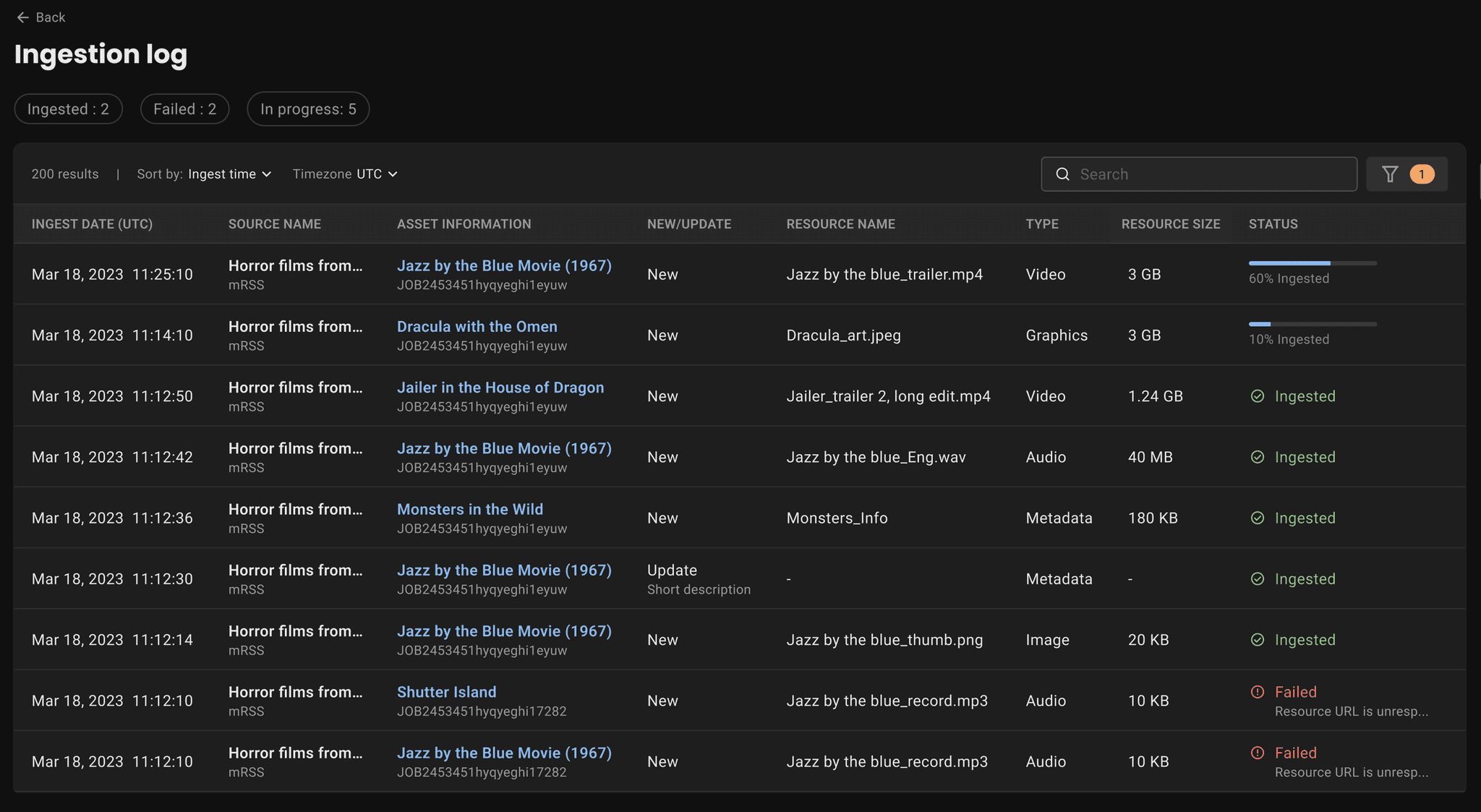
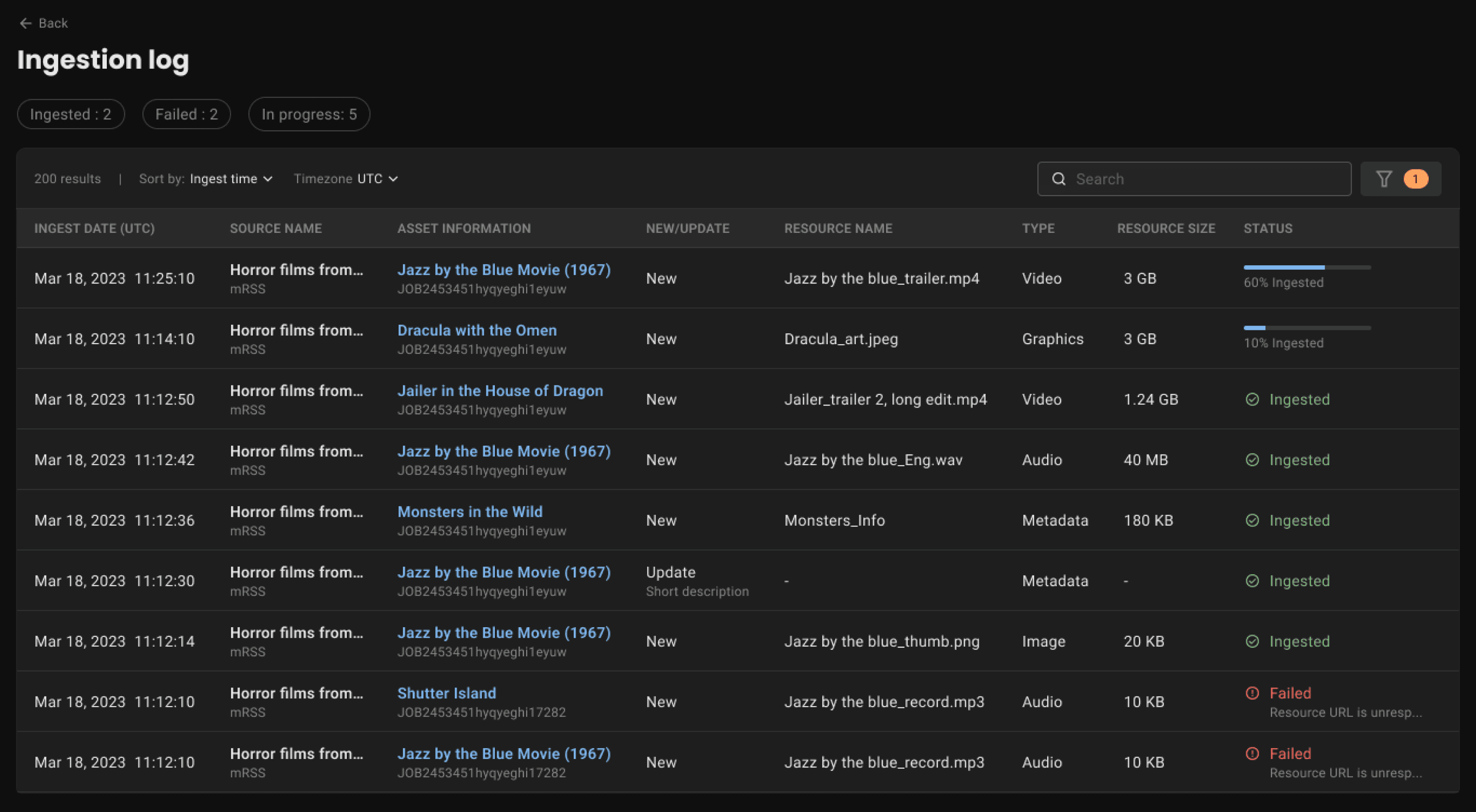
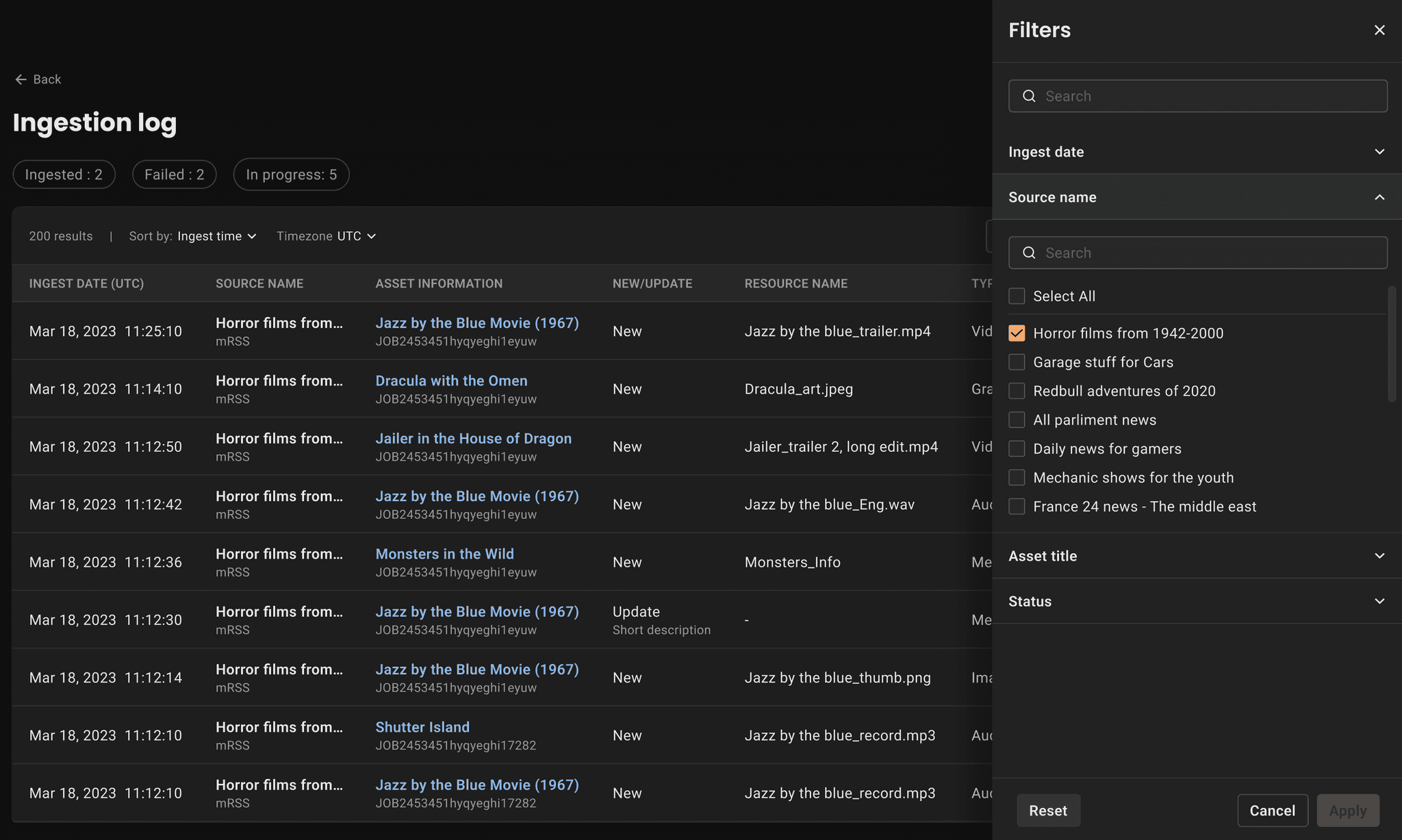
Ingestion log with alerts
Resource level ingestion log with failure reasons
Status of pipeline
Visual cue for user to recognise the status of assets
Representation of pipeline
Assets and associated resources are exposed to provide holistic information
Design
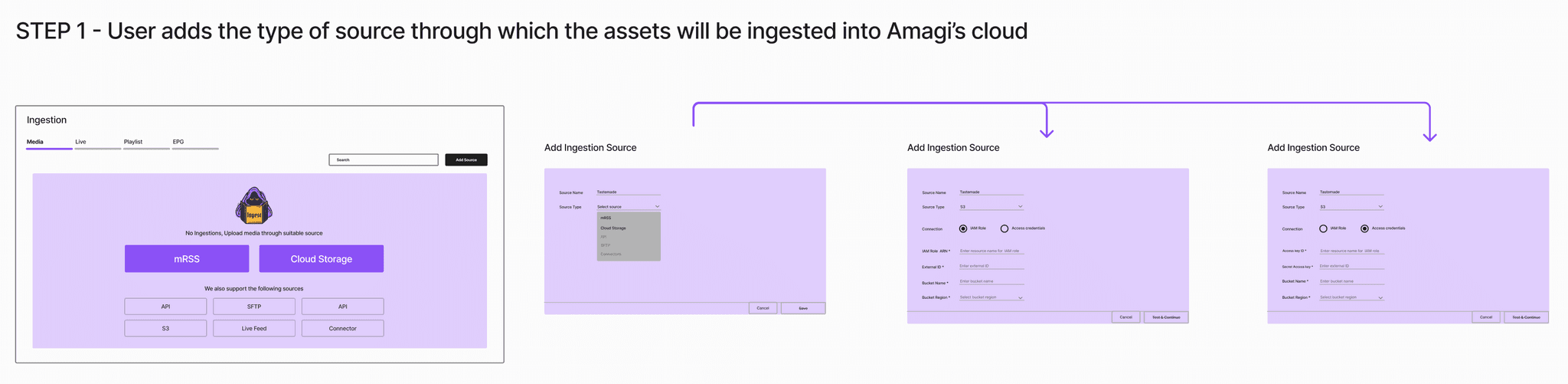
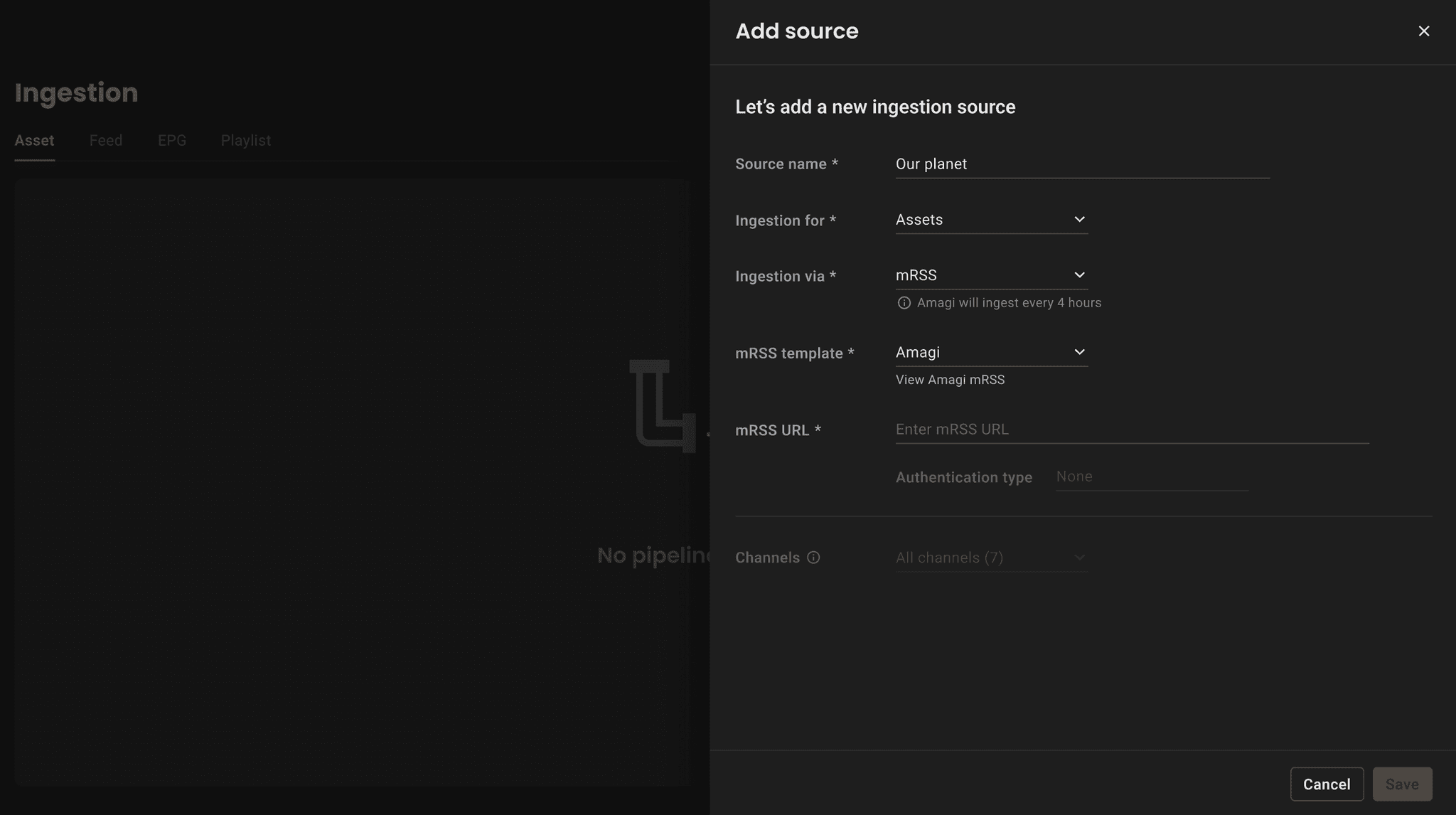
Firstly, I began ideating with the setup workflow of ingestion. User needs to Add a source, select required parameters and save to proceed for initiating the pipeline.
Secondly, as a team we had to maintain consistency in the setup and visualisation workflow, As users can not only ingest assets but EPG (electronic program guide), Playlist and Live Feed (Ex: Live link for news).
Brainstorming
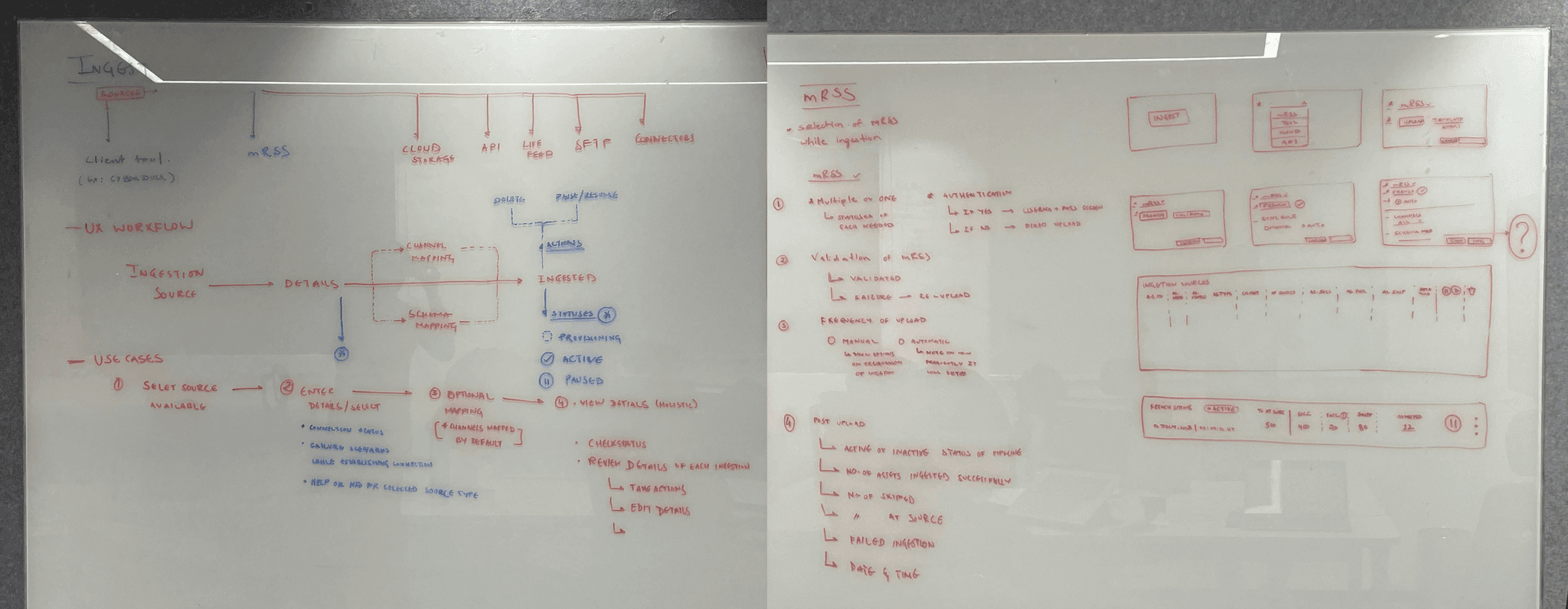
From the research, it is clear that mRSS source is most used, so I tired to understand the structure of a data pipeline and it's parameters required for users to setup this source, Also I have tried to capture the validation scenarios needs while ingestion.
Design for overall workflow
In the existing product, user has only 2 methods of ingestion, but this workflow needs to be consistent with multiple methods like SFTP, FTP, Connectors, mRSS, cloud storage, connectors. Thus, I tried have providing options to either select upfront or while selecting
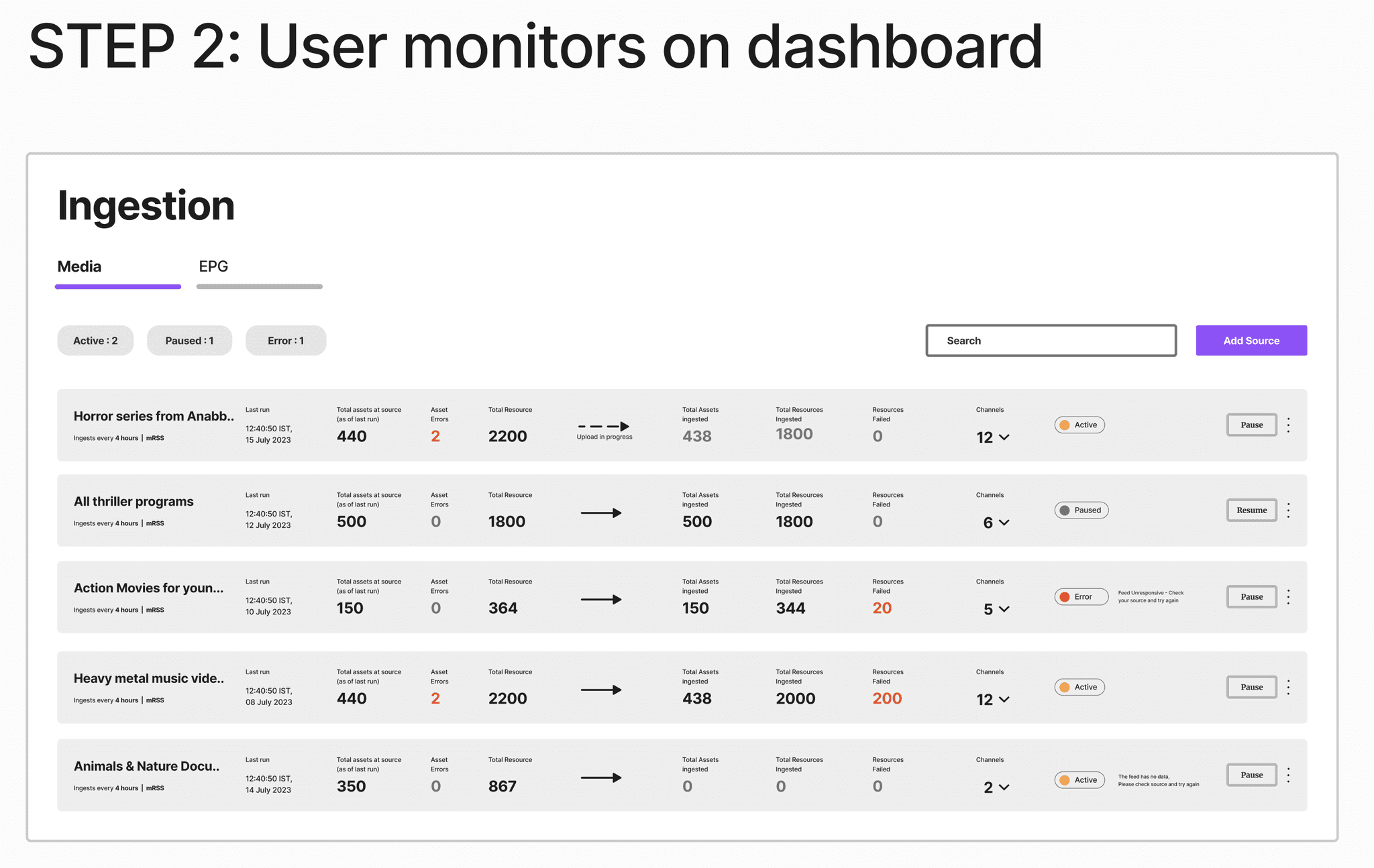
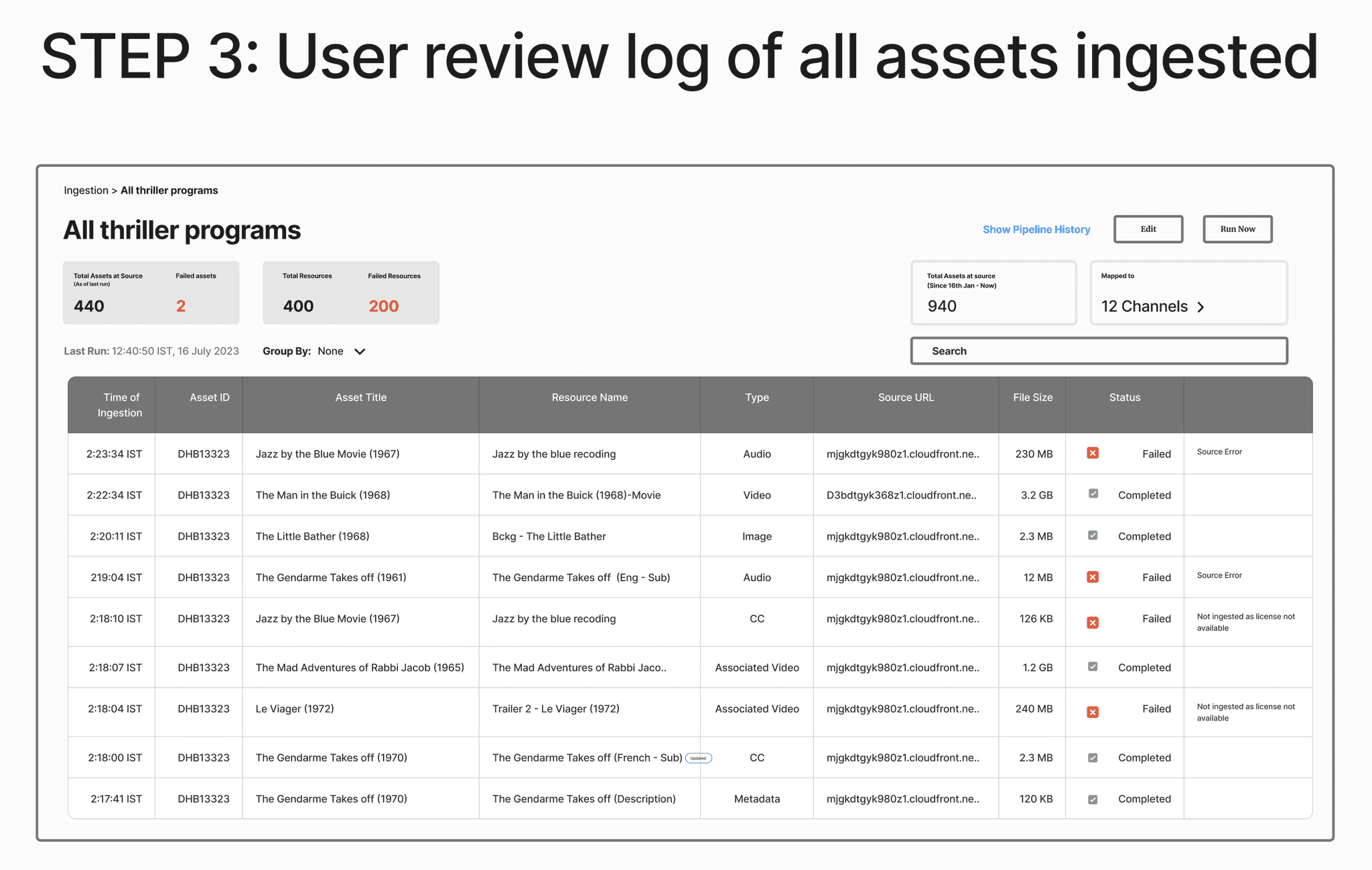
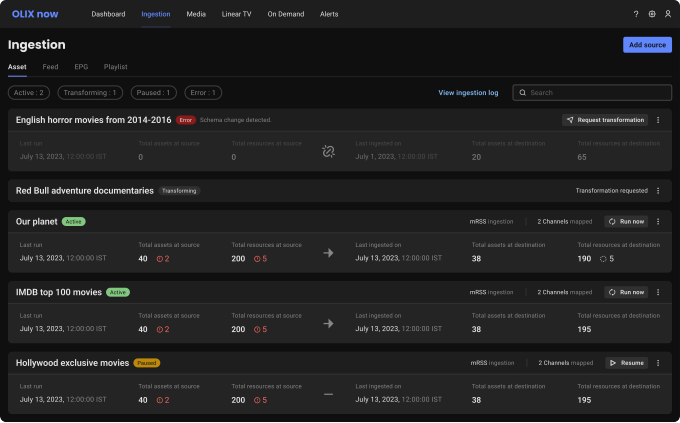
Design iterations for ingestion card on dashboard






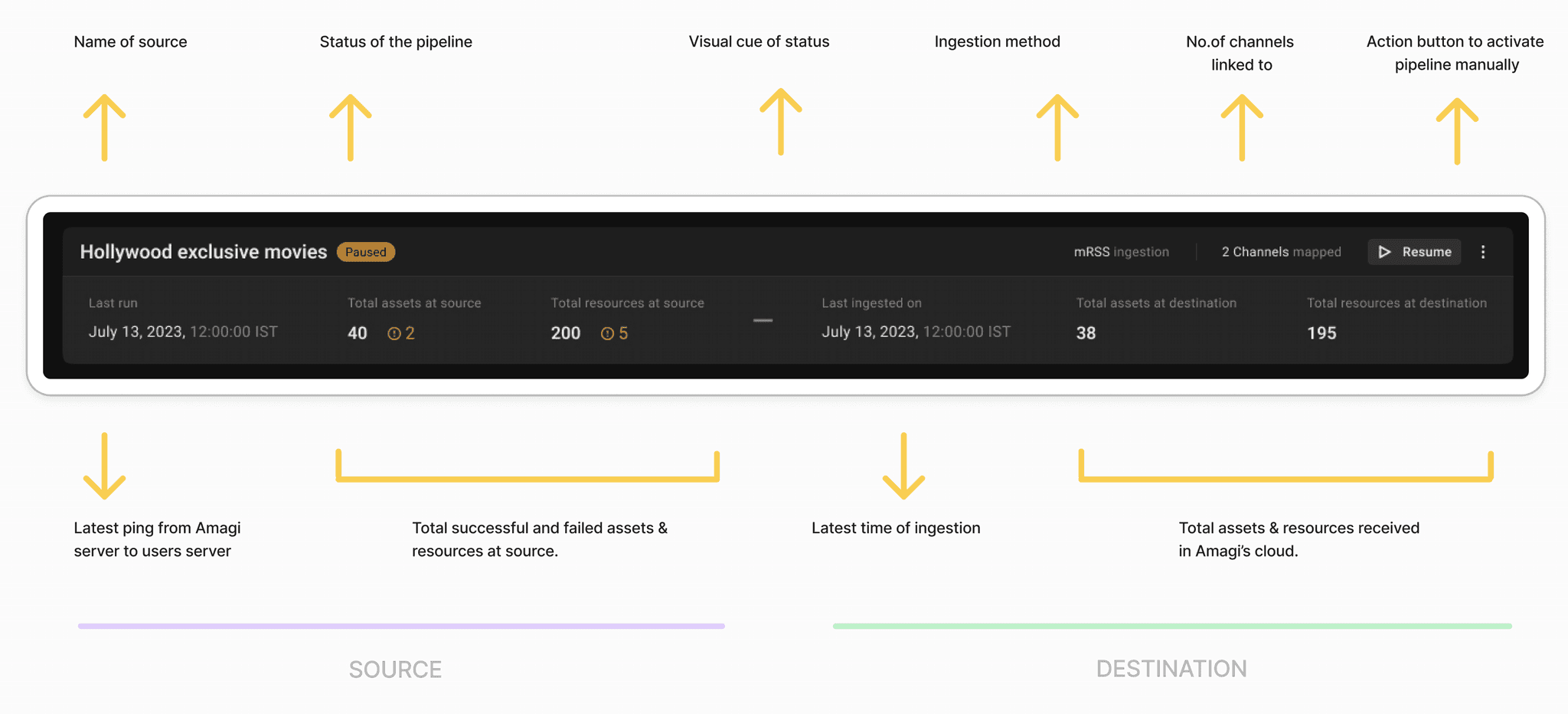
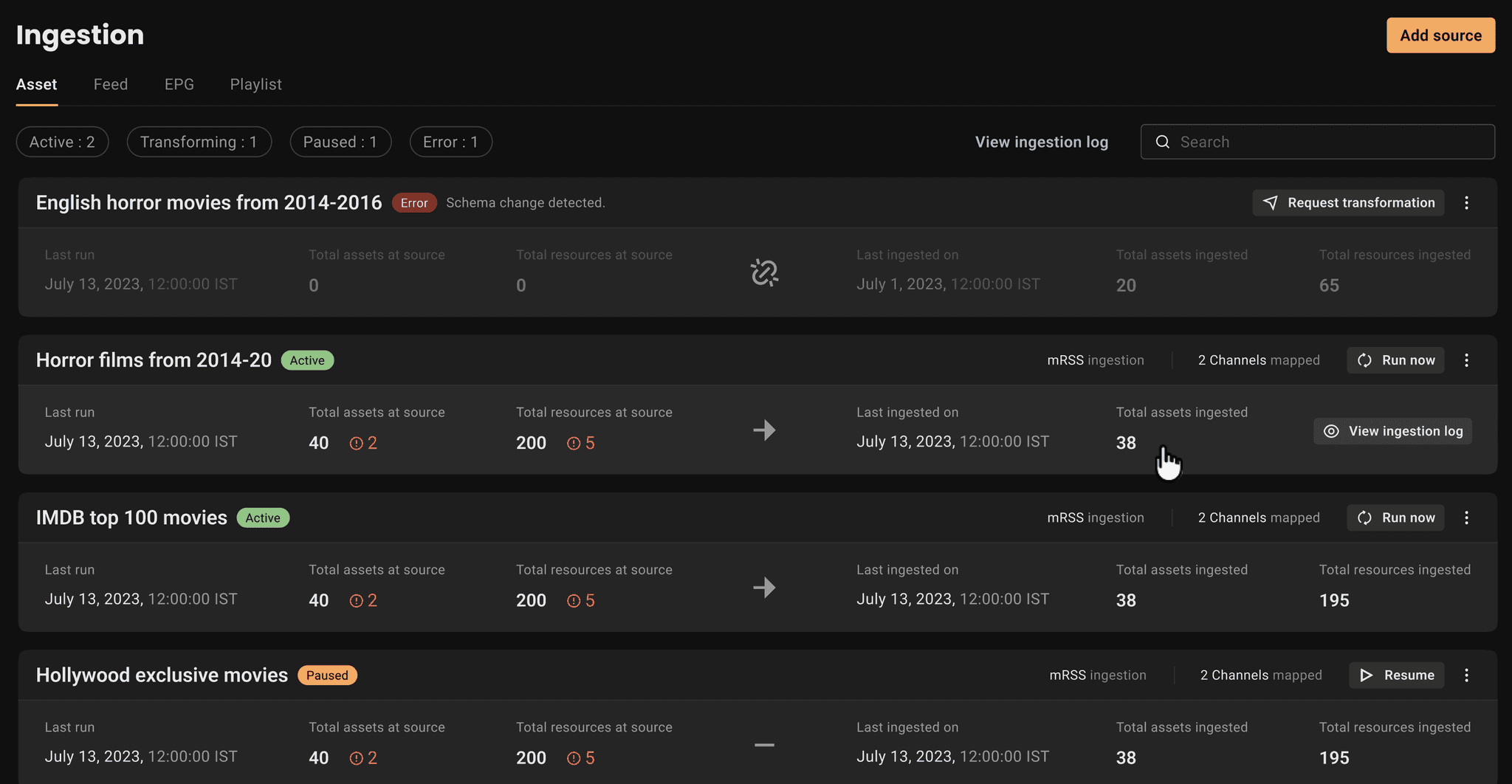
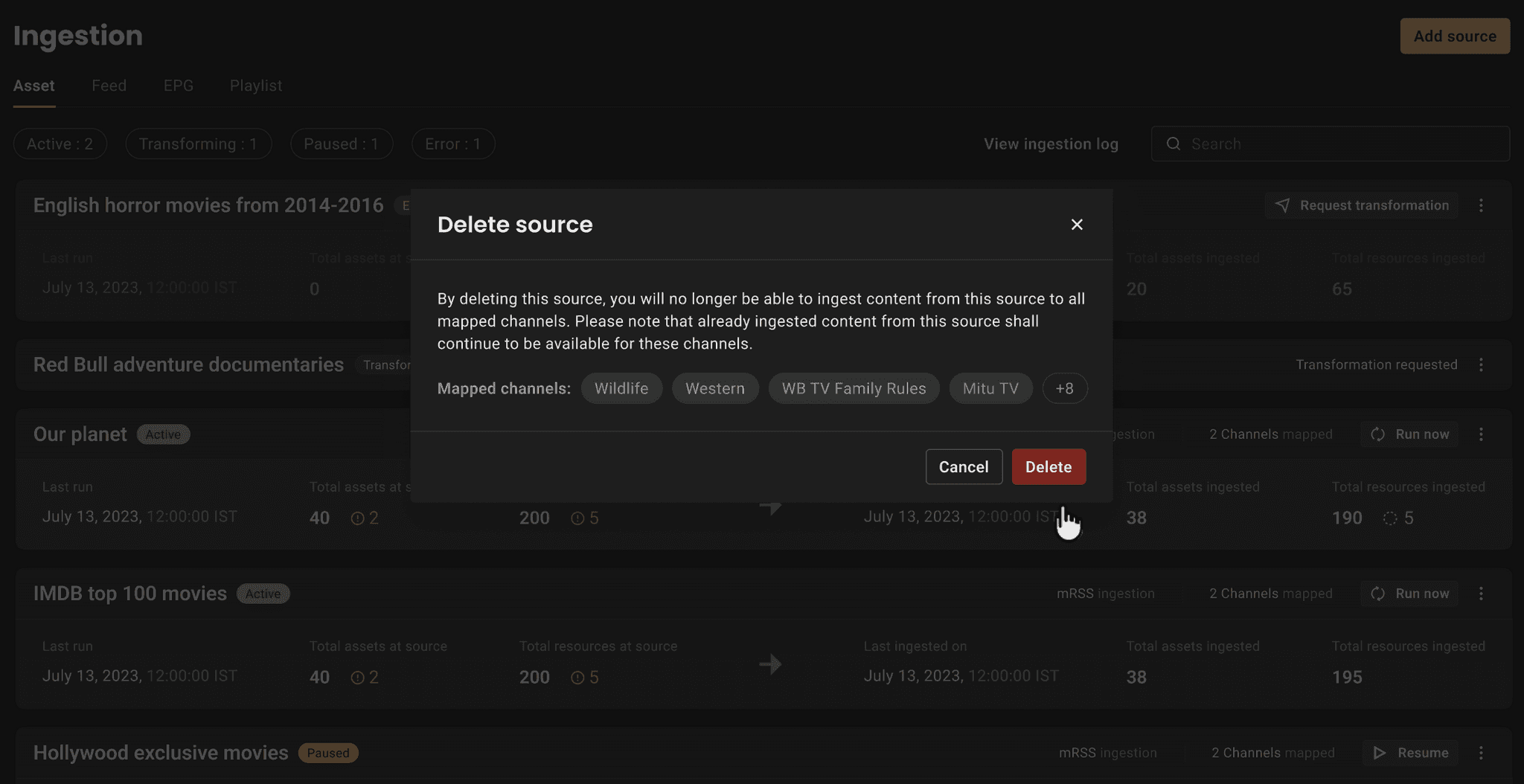
Source and destination as a concept to allows users to relate the status and failed states that lead to quick resolution of errors.
Pipeline statuses provide upfront scenario of the activity.
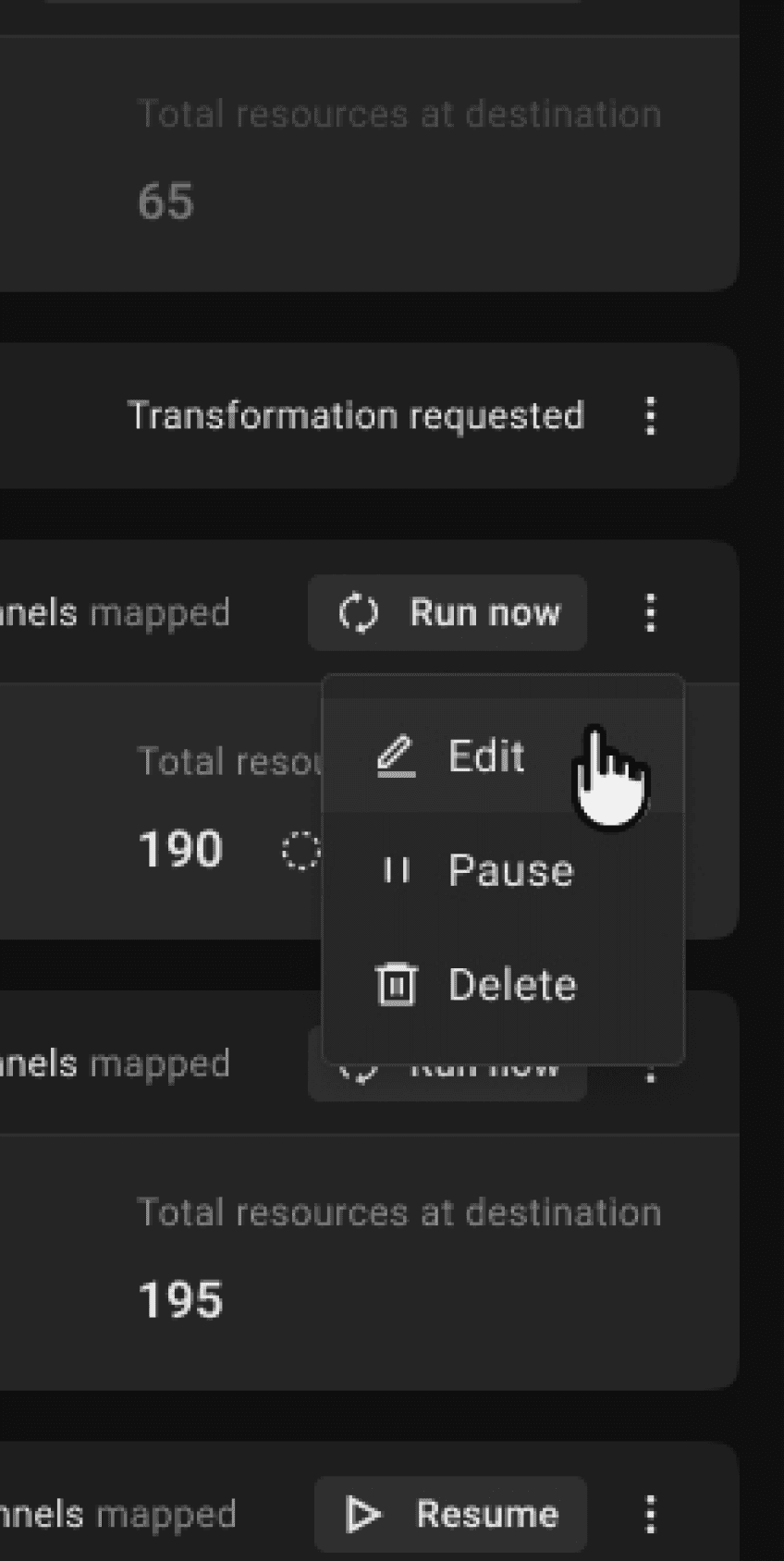
Action button provides control of the pipeline
Errors statuses at source resolves the current problem of missing assets.
Break up of assets and resources at high level provides transperancy.
Final design
Key takeaways
*All logos are used only for creative purposes. Name of the client changed for confidentiality
Sai Dheeraj C . 2024
India